Audiovisual (AV) technology is one of the most powerful tools for creating memorable events, virtual meetings, and engaging presentations. A well-executed AV setup transforms an ordinary experience into something that leaves attendees, clients, or colleagues saying “wow.” Still, AV issues can also be a major source of frustration. Poor audio, video glitches, and setup problems can quickly derail even the most carefully planned event.
At AVT Productions, we’ve seen firsthand how small mistakes in audio, video, and presentation technology can snowball into big problems. The good news is that most AV issues are preventable with the proper preparation and knowledge. Below, we’ll explore common mistakes, solutions, and practical tips for event planners, professionals hosting virtual meetings, and anyone setting up a home theater.
Mistake #1: Presentation Content Doesn’t Display Correctly
One of the most common AV issues comes from mismatched aspect ratios. Presenters often use their own templates, which may not align with the AV equipment. When a slide deck built for a 4:3 ratio is displayed on a widescreen 16:9 projector, the result is distorted content that looks unprofessional.
How to Fix It:
- Choose a standard aspect ratio (preferably 16:9 widescreen) for all presentations.
- Share a branded template with speakers before content deadlines.
- If using varied templates, provide clear formatting guidelines.
- Have an on-site graphics technician available for last-minute fixes.
Mistake #2: Videos Stutter or Buffer During Presentations
Playing a video directly from YouTube or relying on internet streaming often leads to buffering, ads, or poor playback quality. This is distracting for both presenters and audiences.
How to Fix It:
- Always request a direct video file from the presenter.
- Use a dedicated playback system instead of embedding it into slides.
- Test videos during rehearsal to confirm proper resolution and sound sync.
Learn more about our professional AV services.
Mistake #3: Surprise Venue Fees
Venues often include hidden fees for rigging points, power usage, or mandatory in-house AV. These costs can add up quickly and eat into your budget.
How to Fix It:
- Review contracts carefully and ask for clarification on rigging, power, and labor costs.
- Work with an AV partner who can identify potential fees during the planning stage.
- Negotiate upfront so there are no surprises.
Mistake #4: Audience Members Can’t Hear or See Clearly
A poorly designed sound system or limited screens often leads to frustrated attendees straining to catch the presentation.
How to Fix It:
- Use audio mapping technology to plan speaker placement.
- Test microphones and speakers before the event begins.
- Add screens in large rooms to improve visibility for all attendees.
Mistake #5: Being Locked Into In-House AV
Many venues pressure clients to use their in-house AV providers. While convenient, this option often limits creativity and increases costs.
How to Fix It:
- Know your rights: you are not required to use in-house AV.
- Bring in your trusted AV partner to negotiate with venues.
- Read contracts carefully for restrictive clauses.
Check out our other blog posts on technology solutions.
Mistake #6: Mixing Multiple AV Vendors
Hiring multiple AV providers for one event may seem like a cost-saving move, but it often creates compatibility issues and inconsistent execution.
How to Fix It:
- Choose one experienced AV partner to manage the entire production.
- Ease communication and equipment sourcing.
- Focus on value, not just price.
Mistake #7: Not Allowing Enough Setup Time
Tight install schedules increase labor costs and leave no room for testing or rehearsal. This can lead to stressful last-minute fixes.
How to Fix It:
- Work with your AV partner to determine realistic setup and strike times.
- Negotiate venue contracts to include adequate hours for setup.
- Schedule technical rehearsals before event day.
Mistake #8: Skipping Presenter Rehearsals
Executives and keynote speakers often need time to rehearse with the AV team. Without a run-through, mistakes are more likely.
How to Fix It:
- Always schedule technical and speaker rehearsals.
- Have graphics and AV staff on hand to make quick adjustments.
- Provide presenters with confidence monitors and cue support.
Mistake #9: Forgetting About Storage and Crew Space
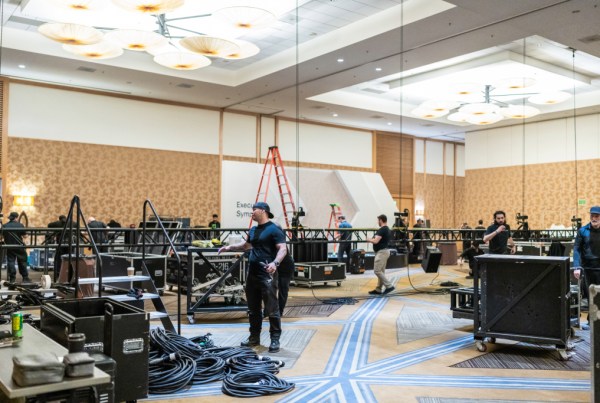
Equipment cases, cables, and AV staff need space during an event. Failing to plan for storage creates clutter and inefficiency.
How to Fix It:
- Reserve a designated area for equipment and AV crew.
- Include “front of house” space for audio engineers and stage managers.
- Work this into venue negotiations early.
Mistake #10: Choosing the Wrong Event Space
Not all venues are designed for AV success. Pillars, chandeliers, or limited power access can create major challenges.
How to Fix It:
- Consult with your AV partner before booking a venue.
- Evaluate projection options, power access, and natural lighting.
- Ask the right technical questions before signing a contract.
Troubleshooting Common Audio Problems
Audio is one of the most important elements of any event, yet it is often the first place where issues arise. Microphone feedback, low volume, and distracting background noise are among the most common problems planners encounter. To prevent feedback, position microphones away from speakers.
Cardioid or directional microphones can also help by reducing unwanted noise from the surrounding environment. A sound check before guests arrive is essential to balance audio levels and avoid last-minute surprises.
Improving Video Quality for Virtual Meetings & Presentations
Virtual meetings are now the norm, but poor video quality can quickly diminish engagement. Issues such as dim lighting, lag, and grainy images make it difficult for participants to stay focused.
Simple steps can improve the overall experience: using an HD webcam with proper lighting, testing internet connections before hosting, and encouraging presenters to position cameras at eye level. Presenting guidelines for background setup also helps create a polished, distraction-free environment.
Setting Up Your Home Theater System: Avoiding Common Mistakes
Creating a home theater involves more than connecting a TV and a few speakers. Without careful planning, the result can be disappointing: poor sound quality, a screen that overwhelms or underwhelms the space, and tangled cables that distract from the overall experience.
One of the first steps is selecting the right screen size for the dimensions of your room. A screen that is too large can strain the eyes in smaller spaces, while one that is too small may not deliver the immersive effect you want. Speaker placement is just as important. Positioning them correctly helps balance surround sound that draws you into movies and music rather than leaving audio flat or uneven.
Quality also matters when it comes to connections. Using high-grade HDMI cables helps maintain stable video transmission and reduces the risk of glitches during playback. Finally, don’t overlook cable management. Hiding wires not only creates a clean and professional look but also keeps your space safer and easier to maintain.
A thoughtful home theater setup blends performance with aesthetics, turning your living room into a comfortable entertainment hub.
Frequently Asked Questions
Q: Why is my microphone picking up background noise?
Background noise happens when omnidirectional mics capture sound from all directions. Switch to a directional mic and use noise suppression tools.
Q: How can I improve the video quality of my webcam?
Adjust lighting, use a ring light, and upgrade to an HD or 4K webcam. Avoid sitting with bright windows behind you.
Q: What are the common causes of poor audio in online meetings?
Unstable internet connections, low-quality headsets, and incorrect input settings often cause poor audio.
Q: How can I troubleshoot a projector that isn’t displaying an image?
Check cables, confirm the input source, and test the projector with another device before assuming it’s broken.
AV issues don’t have to derail your event, presentation, or virtual meeting. With careful planning and the right partner, you can avoid common pitfalls like poor audio, distorted visuals, and technical hiccups. From corporate conferences to home theater setups, professional AV solutions create experiences that feel smooth, engaging, and unforgettable.
At AVT Productions, we specialize in solving AV challenges before they become problems. Our team provides professional audio troubleshooting, video conferencing solutions, and presentation technology that enhances every project.
Ready to eliminate AV issues and deliver a flawless experience? Contact us today to get started with a partner who understands the technology and knows how to bring your vision to life.